
The product tour
See what happens inside PropEase.
Choose a module, see the interface, then follow a complete task.
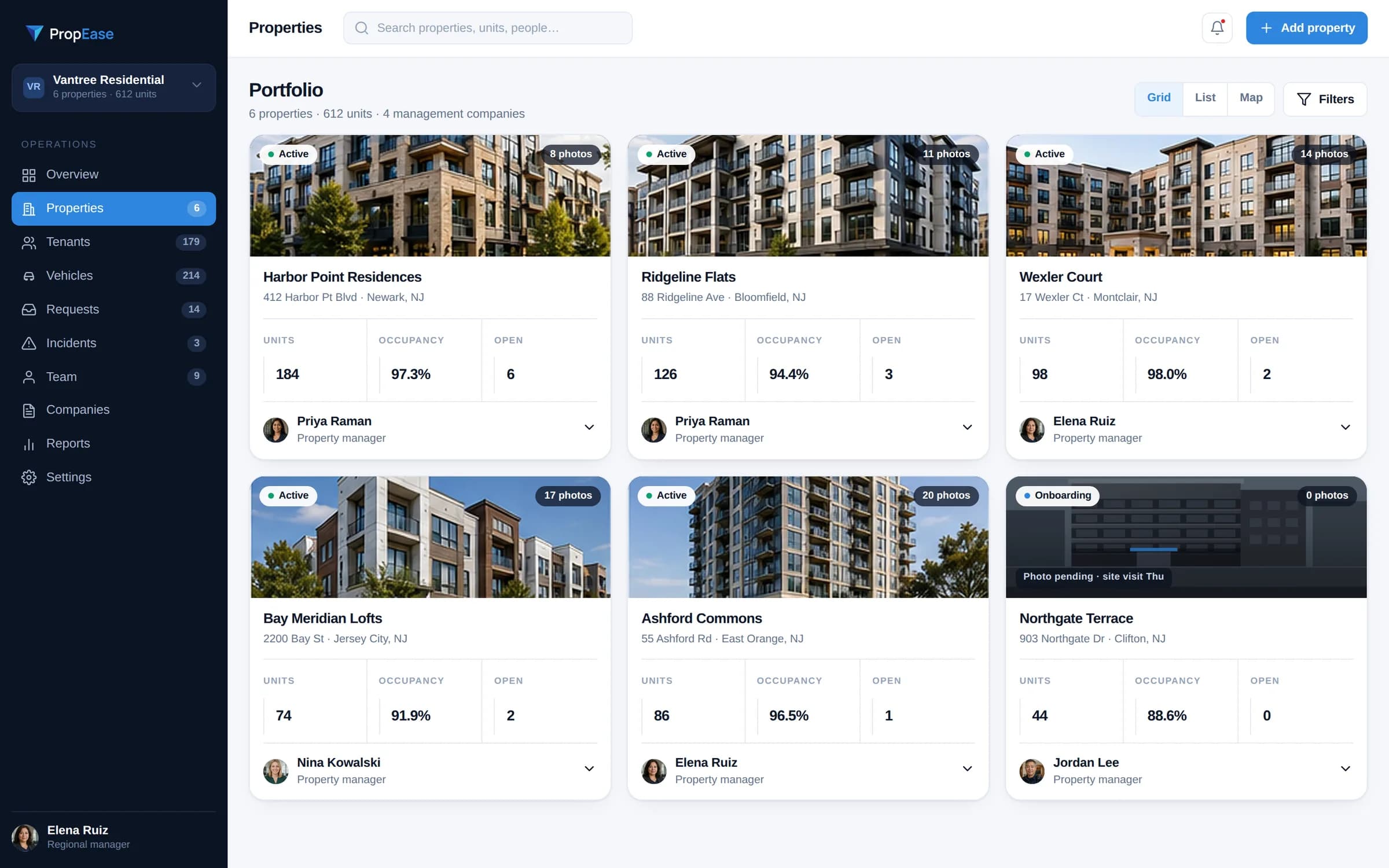
01 / Portfolio
Start with the properties that need you.
- See buildings, occupancy and open work
- Filter overdue work
- Open a property and its related records
- Find the person responsible
- Take action from the same place
Unit record
Park Avenue Apartments
Unit 4B
Resident
Household and contact
Maintenance
Work orders in the unit's history
Inspections
Condition and follow-up history
Parking
Vehicle, space and pass
History
Everything that happened in the unit
02 / Properties
Every action belongs to a real property.
- Each property with its units and occupancy
- Open a unit and see who lives there
- Equipment and parking tied to the unit
- Condition history from each inspection
- The team assigned to each property
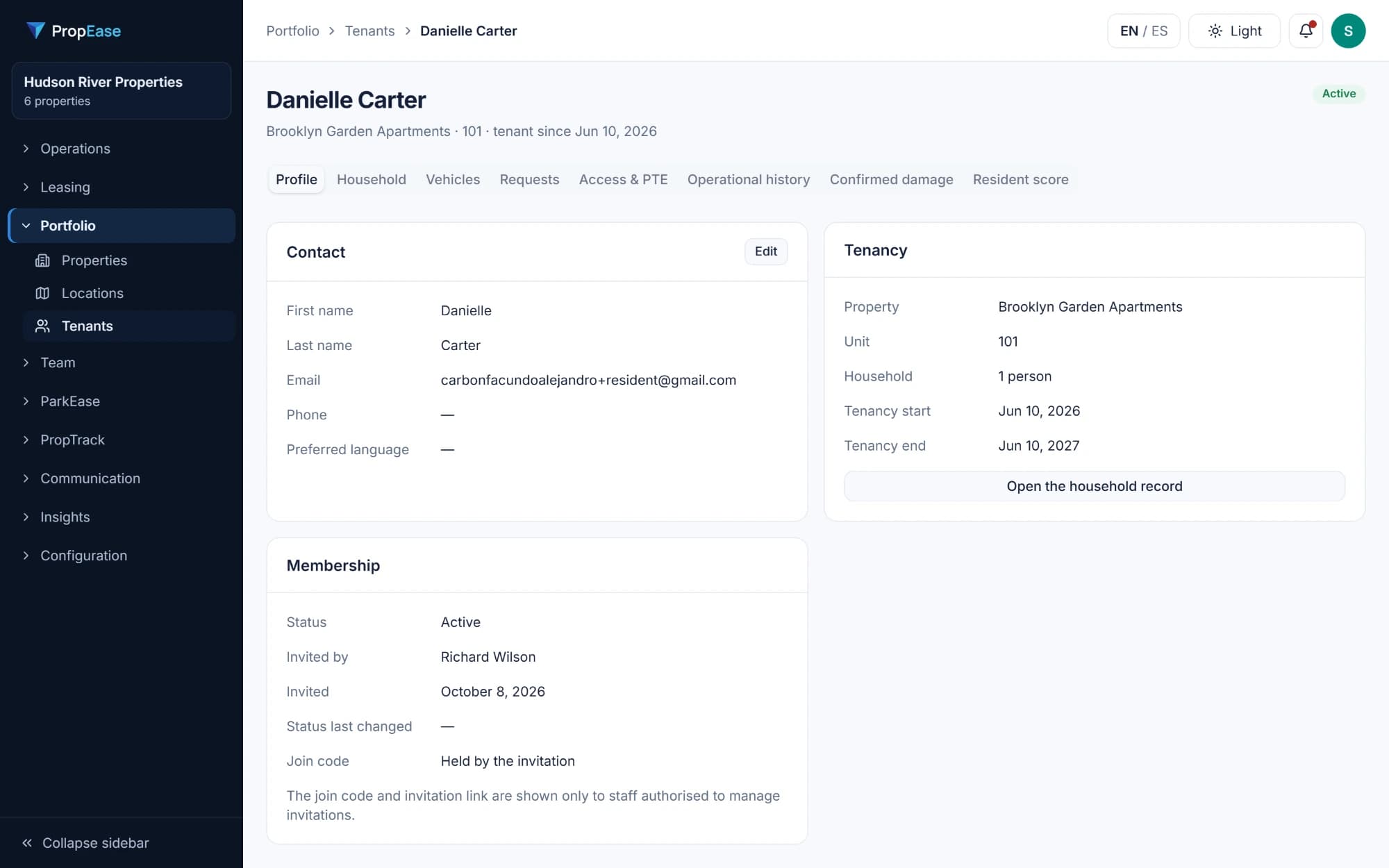
03 / Residents
Know who lives where.
- Residents connected to their unit and lease
- Household members and contact details
- Vehicles registered to each resident
- Every request a resident has made
- A history that stays after they move out
Unit 4B · Water leak
Reported 07:42 · Assigned to Carlos
Photo and work note
Added by Carlos · 09:16
04 / Maintenance
One request, one person responsible.
- Requests become work orders with a priority
- Assign each order to someone on the team
- Instructions, photos and notes in one place
- See what is overdue at a glance
- Close with a photo and a note
Inspections
Unit 502 · Move-out inspection
- Good
Kitchen fixtures
No issues
- Problem found
Bathroom ceiling
Water staining
- Problem found
Living room walls
Needs paint
- Good
Appliances
No issues
- Finding
- Work order
- Assigned repair
05 / Inspections
Record the condition of every unit.
- Build your own inspection templates
- Schedule inspections by property or unit
- Each item marked Good or Problem found
- Photos and a note for every finding
- Compare move-in and move-out
Make Ready
Where does each vacant unit stand?
Unit 204
Due Tue · Andre
- Repairs
- Flooring
- Painting
- Cleaning
- Final walkthrough
Flooring
Unit 502
Due today · Casey
- Repairs
- Flooring
- Painting
- Cleaning
- Final walkthrough
Painting
Unit 301
Due Fri · Jordan
- Repairs
- Flooring
- Painting
- Cleaning
- Final walkthrough
Final walkthrough
- Repairs
- Flooring
- Painting
- Cleaning
- Final walkthrough
- Ready to rent
06 / Make Ready
Get every vacant unit ready to rent.
- Repairs, flooring, painting, cleaning and final walkthrough
- A person responsible and a target date for each phase
- See what is blocking a unit
- Progress for every vacant unit in one list
- Mark the unit ready to rent
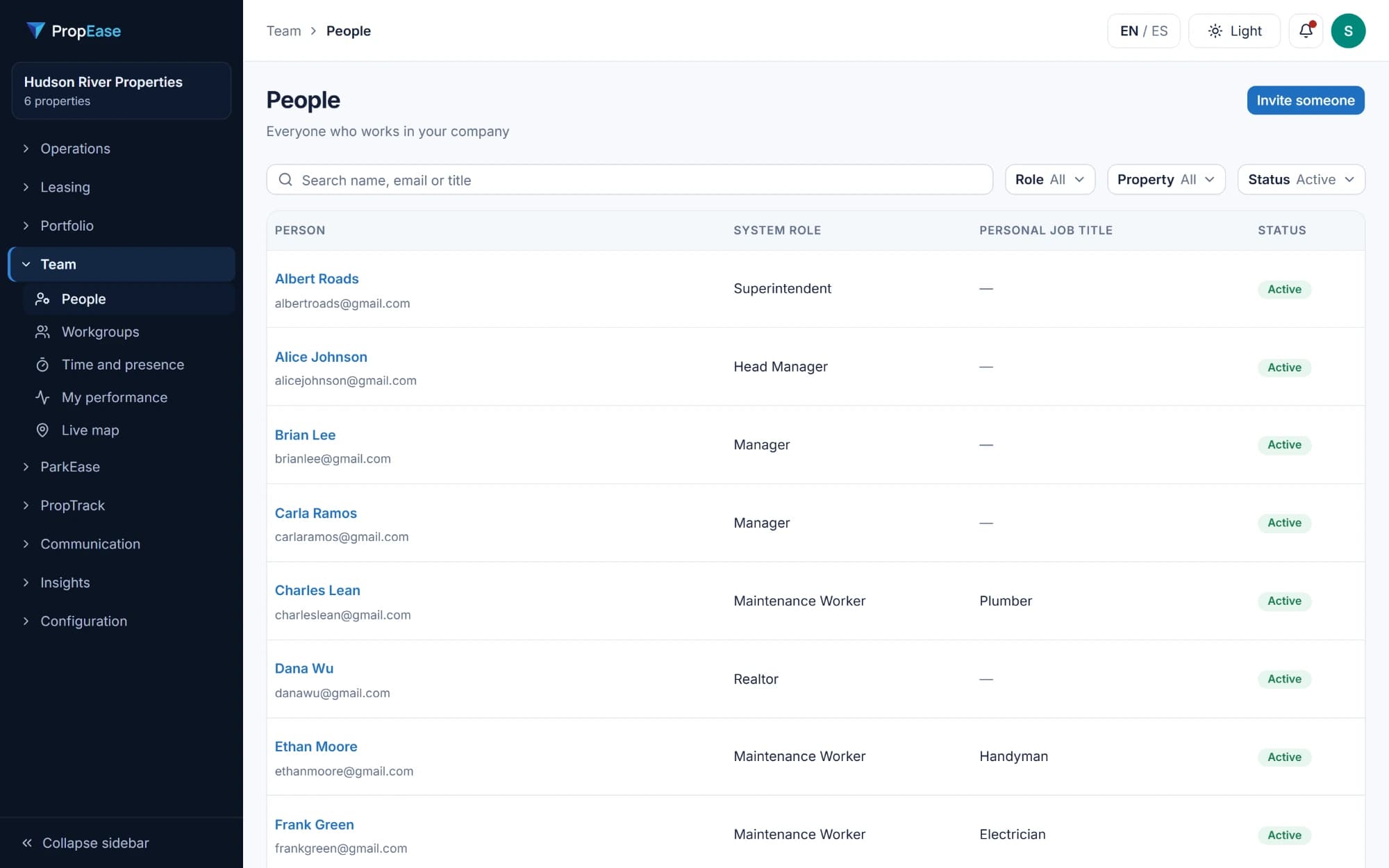
07 / Teams
The right person, with the right access.
- Roles for managers, maintenance, security and more
- Assign people to the properties they cover
- See who is on shift and where
- Time records with corrections kept
- Access that changes when the role changes
Incident · Blocked fire exit, garage level 1
Reported 22:14 · Assigned to Morgan
- Evidence
- 2 photos
- Response
- Exit cleared at 22:31
- Follow-up
- Notice sent to unit 7D
08 / Incidents
Document what happened and what was done.
- Security and safety incidents reported in one place
- Photos, video and documents as evidence
- Assign someone to respond
- Updates in order, from report to closure
- Closed with a reason, kept as a record
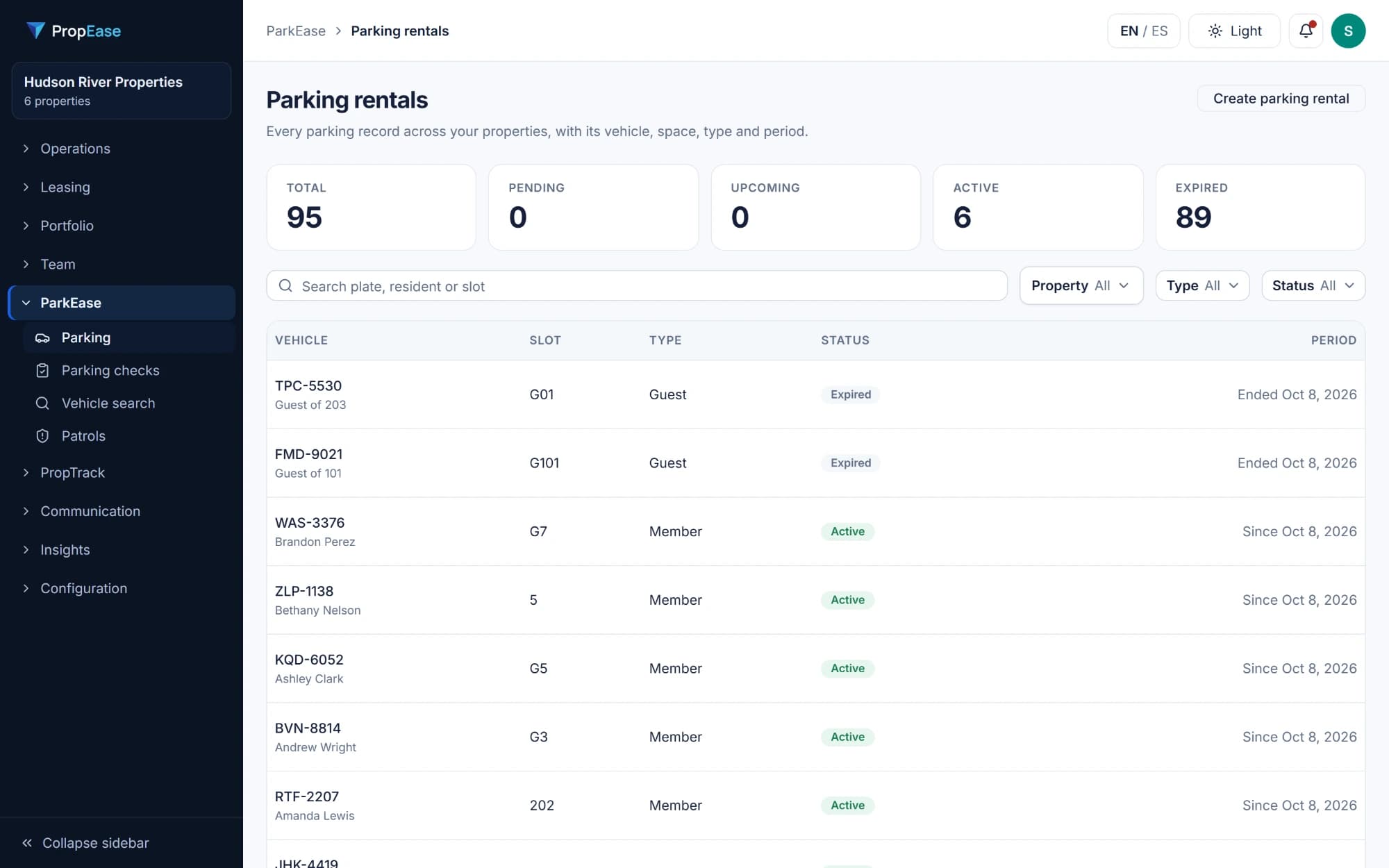
09 / Parking
Vehicles, spaces and passes under control.
- Registered vehicles for each resident
- Spaces by property and level
- Visitor passes with a start and an end
- Search by license plate
- Patrols and checks on site
Records
Unit 4B · History
Sep 28
Work order closed
Water leak · Carlos · photo and note
Aug 12
Inspection
Annual · 2 problems found
Mar 1
Move-in inspection
All items good
Feb 26
Ready to rent
Turnover completed
10 / Records
The full history of every unit.
- Inspections, work, damage and turnover on one timeline
- Written as it happens, not typed later
- Who did what, and when
- Follow a unit across residents
- Find it again months later
On the roadmap
Rent collection: coming soon.
Properties and units
Every action belongs to a real property.
A manager should reach a unit, its people and its work without hunting through disconnected tools.
Unit record
Park Avenue Apartments
Unit 4B
Resident
Household and contact
Maintenance
Work orders in the unit's history
Inspections
Condition and follow-up history
Parking
Vehicle, space and pass
History
Everything that happened in the unit
Maintenance
One request. Three useful views.
Resident
Report the issue and add a photo
Manager
Review, prioritize and assign
Staff
See the instructions, update and finish
Unit 4B · Water leak
Reported 07:42 · Assigned to Carlos
Photo and work note
Added by Carlos · 09:16
A complete work record stays connected to the unit.
From finding to action
Inspect a unit. Keep the follow-up moving.
Track a condition found during an inspection, the work it needs and the unit's progress toward ready.
Inspections
Unit 502 · Move-out inspection
- Good
Kitchen fixtures
No issues
- Problem found
Bathroom ceiling
Water staining
- Problem found
Living room walls
Needs paint
- Good
Appliances
No issues
- Finding
- Work order
- Assigned repair
Make Ready
Where does each vacant unit stand?
Unit 204
Due Tue · Andre
- Repairs
- Flooring
- Painting
- Cleaning
- Final walkthrough
Flooring
Unit 502
Due today · Casey
- Repairs
- Flooring
- Painting
- Cleaning
- Final walkthrough
Painting
Unit 301
Due Fri · Jordan
- Repairs
- Flooring
- Painting
- Cleaning
- Final walkthrough
Final walkthrough
- Repairs
- Flooring
- Painting
- Cleaning
- Final walkthrough
- Ready to rent
From the first finding to the final walkthrough, the unit's status stays clear.
Mobile experience
The property stays connected beyond the office.
Residents report issues. Staff review their assigned work. On-site teams check parking.
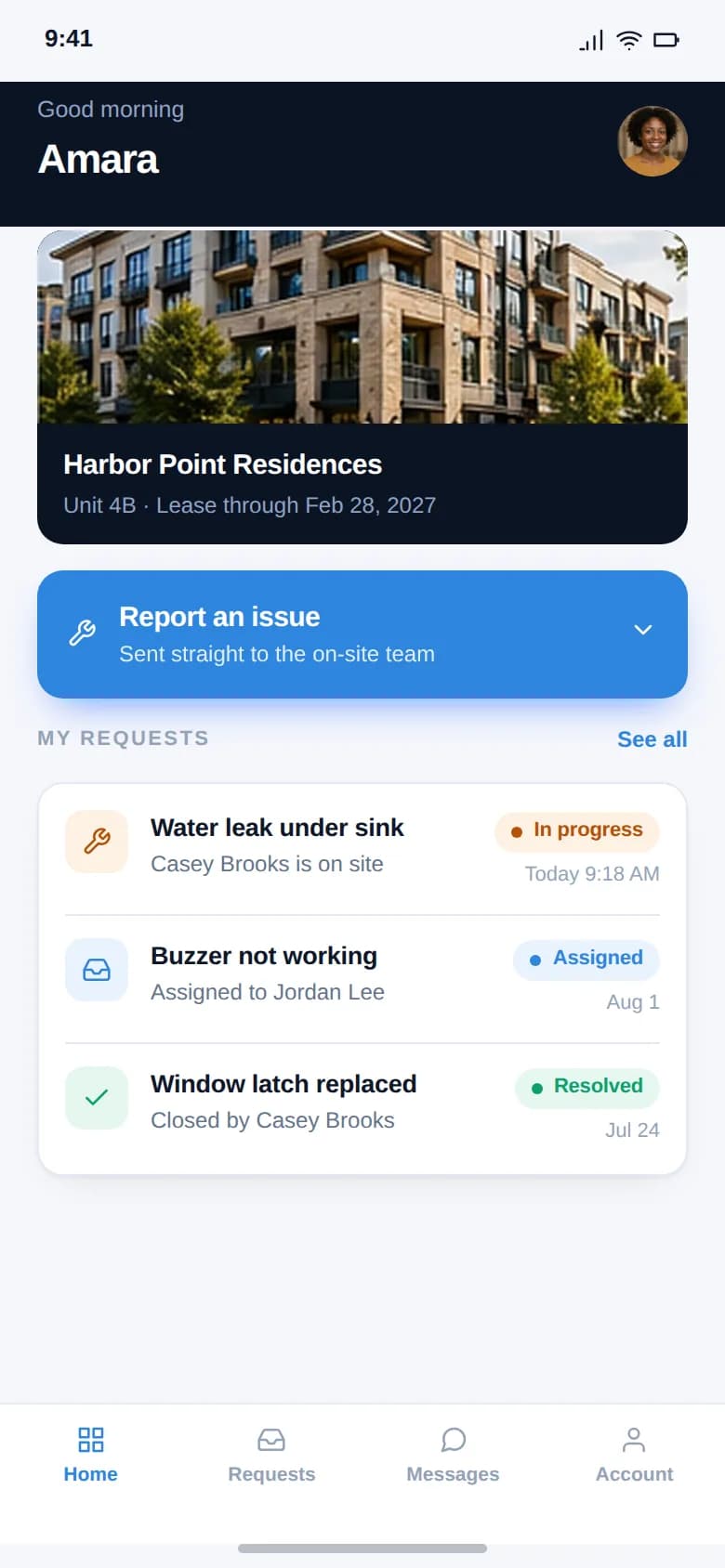
Resident
Unit, requests and their status
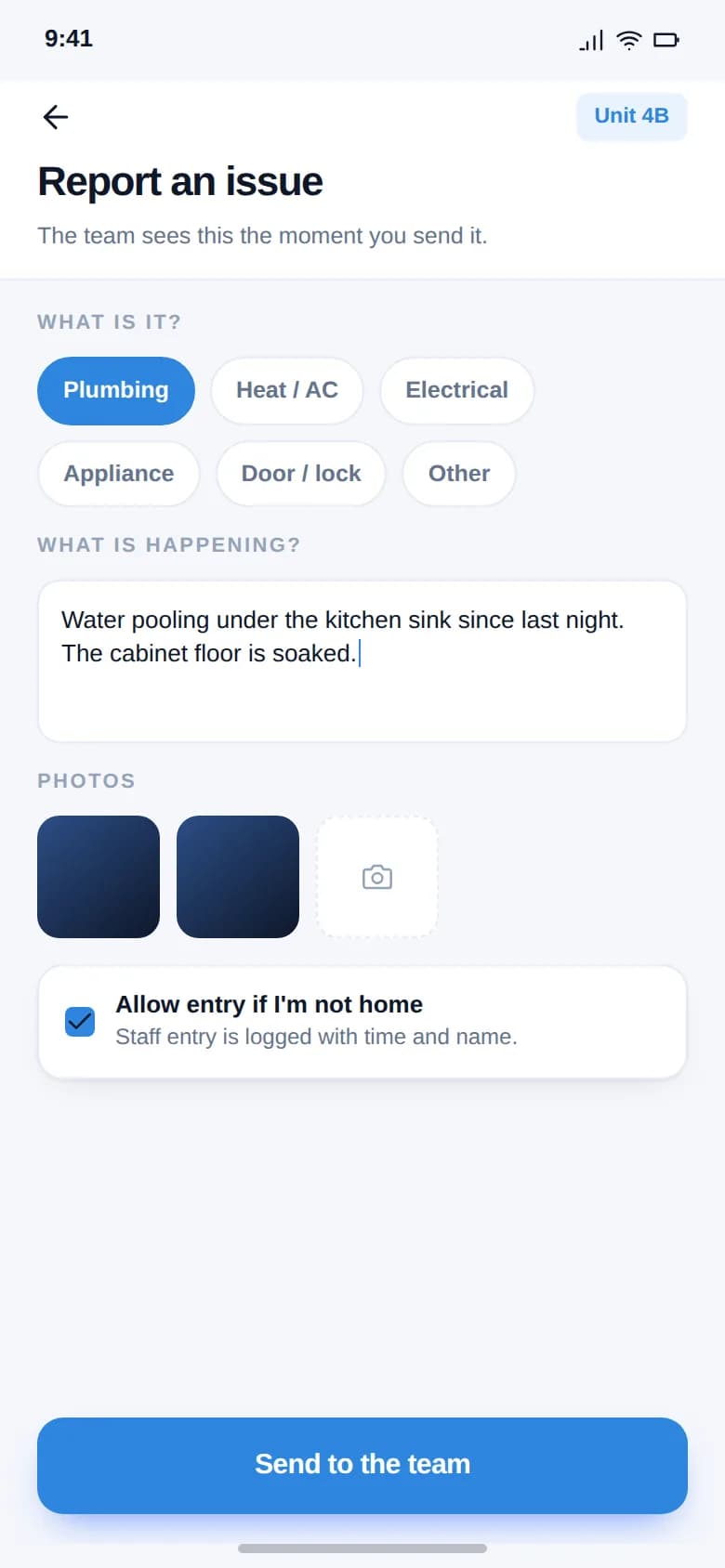
Report an issue
A clear report with a photo
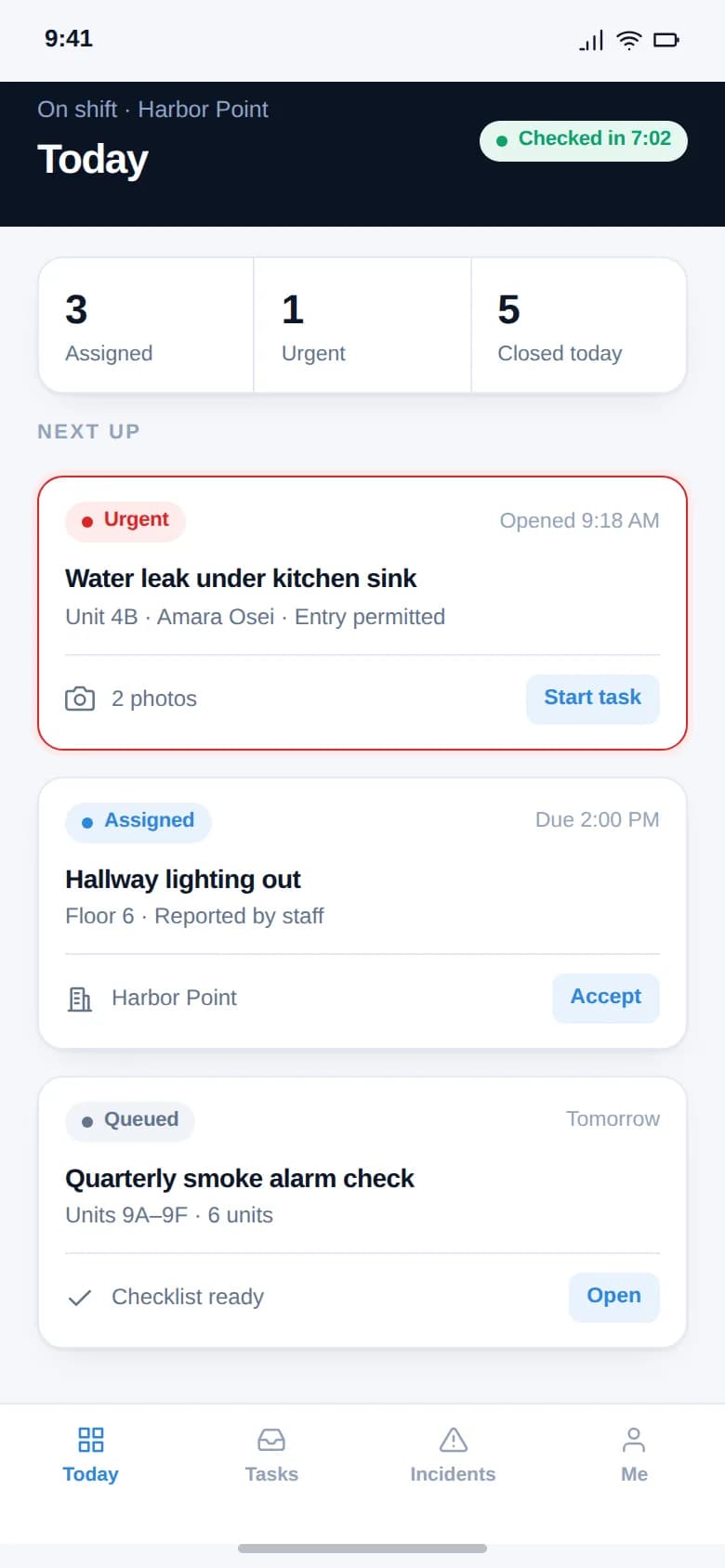
Field staff
Assigned work and its details
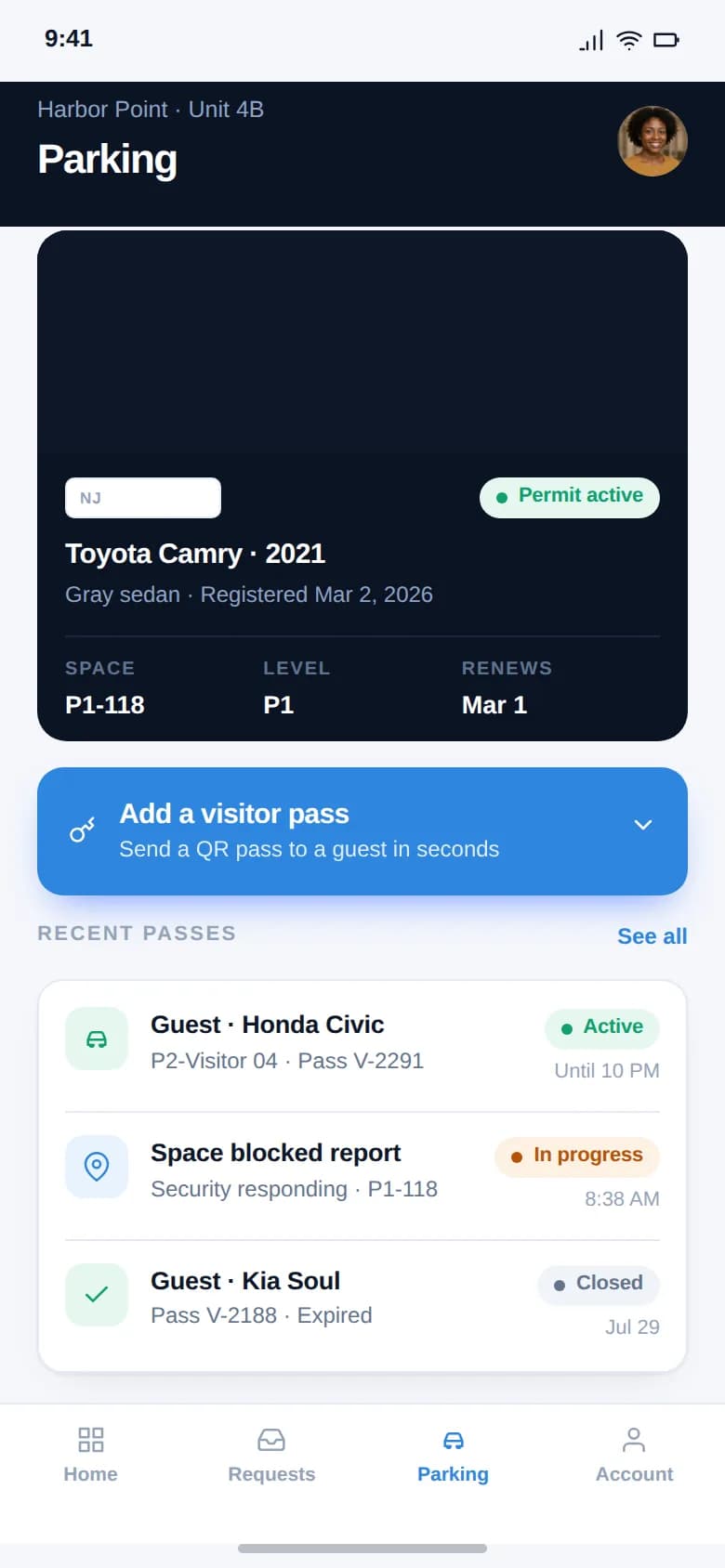
Parking
Resident or visitor pass on site
Connected operations
A complete record, from portfolio to person.
Resident activity, team responsibility, incidents and parking stay tied to the right place.
Residents & households
- Resident
- Unit
- Household
- Requests
- History
See who lives where and the work connected to them.
Teams & roles
- Company
- Property
- Role
- Person
Each role sees and does what belongs to it.
Incidents & security
- Incident
- Evidence
- Response
- Follow-up
Document what was done and keep the record.
Parking
- Vehicle
- Space
- Pass
- Check on site
Keep permits and passes next to the people they belong to.
Explore how the work connects.
Start with the portfolio, then follow one record from start to finish.